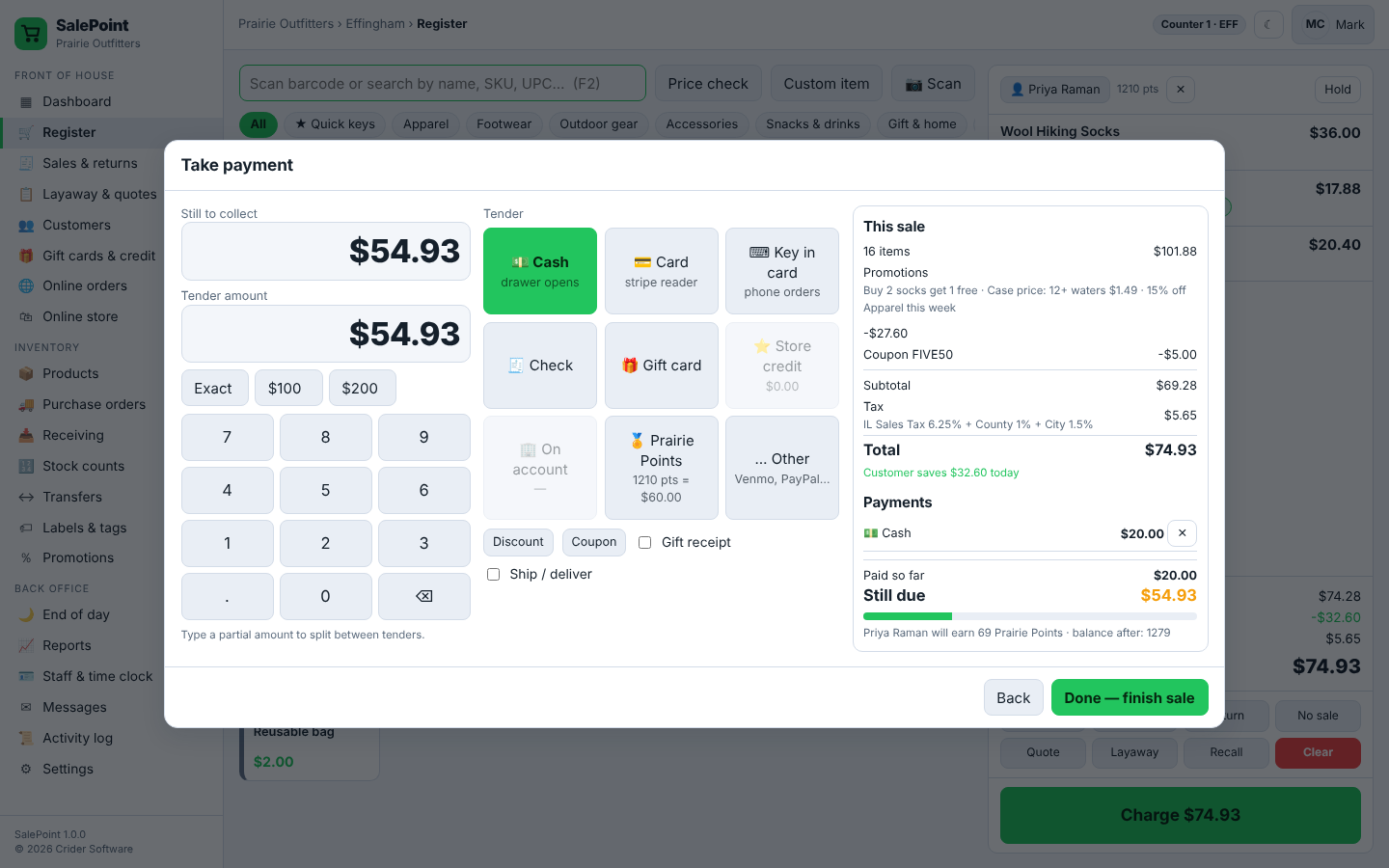
Check in by plate or VIN
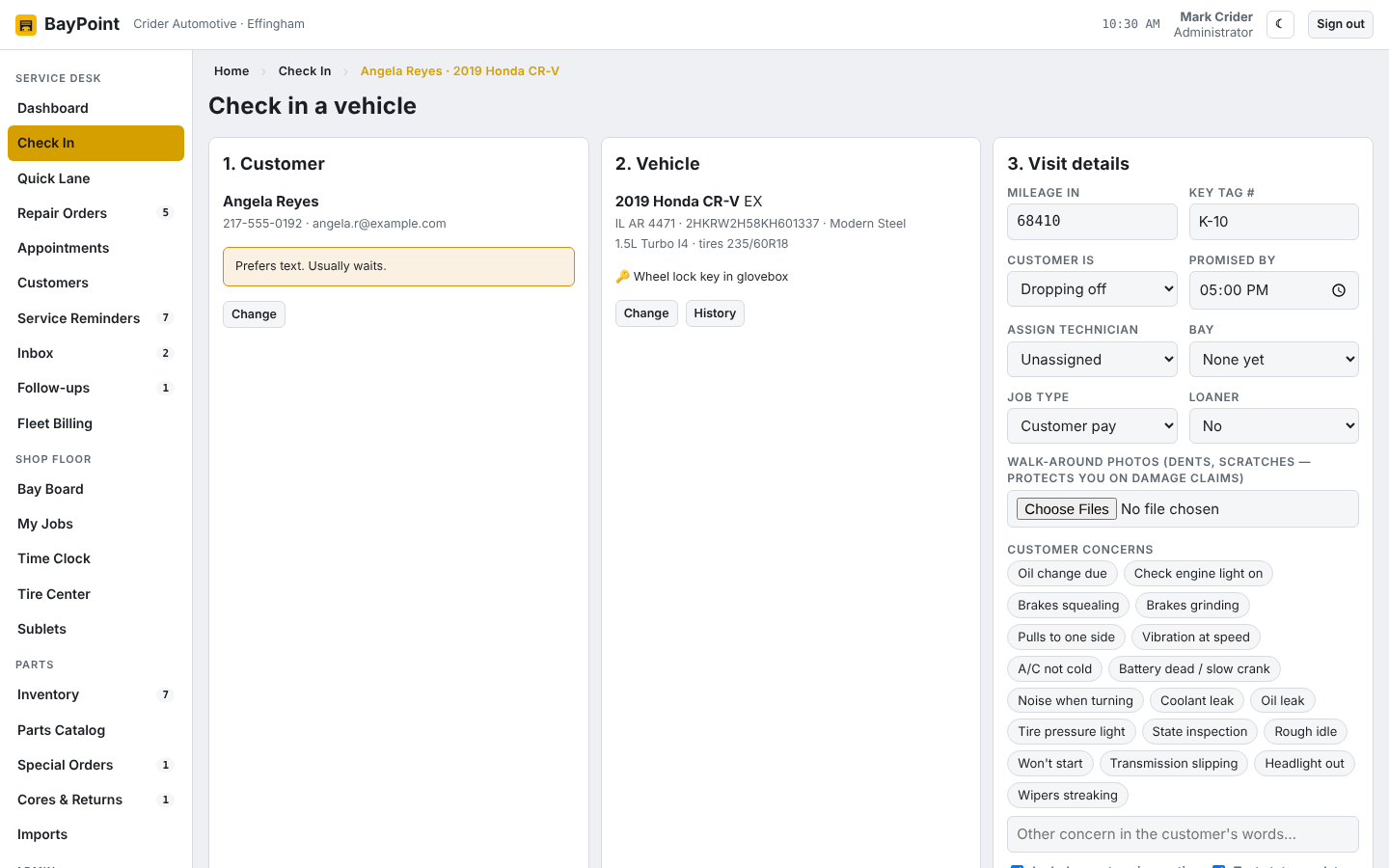
Find the customer by name, phone, plate or VIN. Decode the VIN, pick concerns from a list, print the key tag and the car is on the board.
Buy it here, get your license key right away, and get help from the people who built it.
Auto repair shop management
Run the service desk, the bays and the back office of your auto repair shop from one screen.
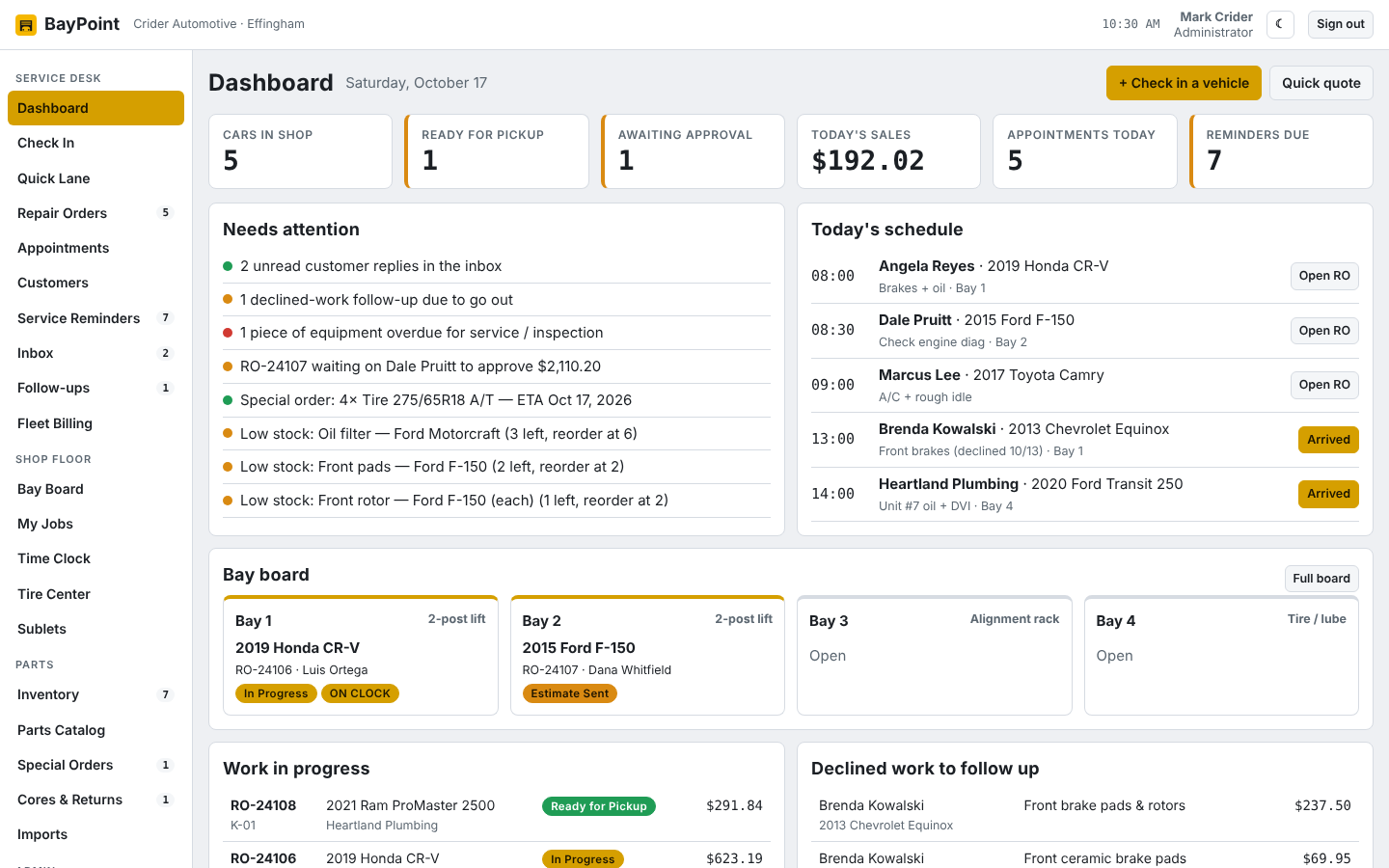
Repair shop management
Run the counter, the repair bench and the back office of your repair shop from one screen.
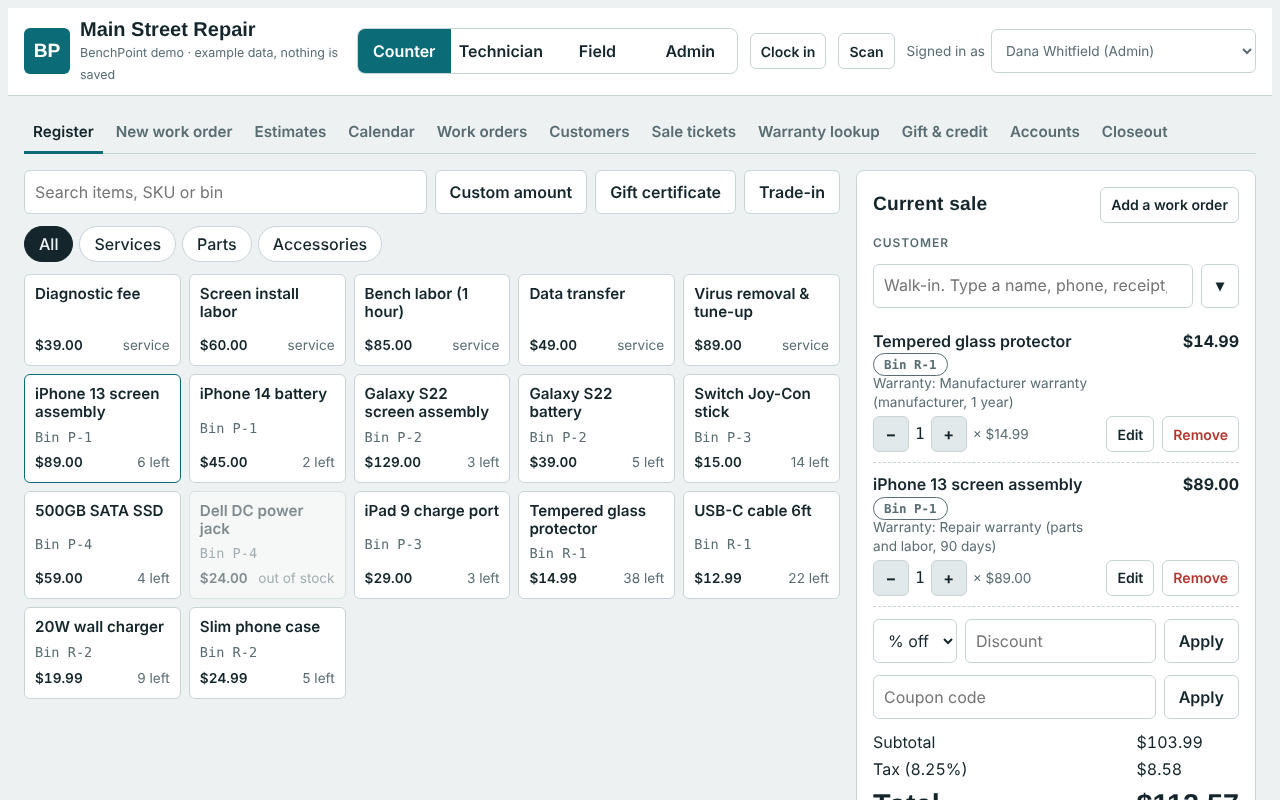
Restaurant point of sale
Registers, servers, kitchen, drive-thru, online orders and the back office of your restaurant, on your own server.
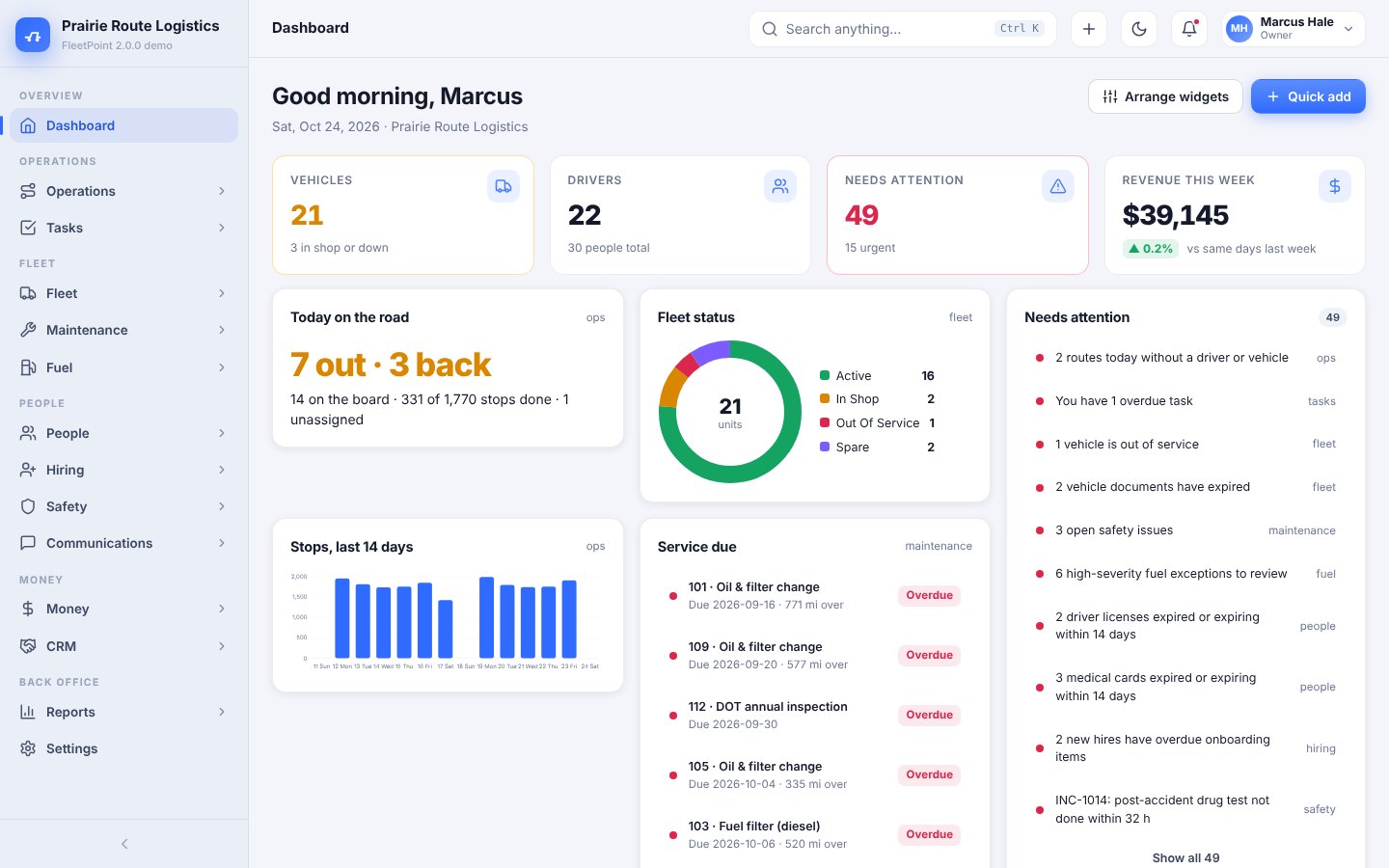
Fleet management
Every truck, every driver, every dollar — one program for FedEx ISPs, Amazon DSPs and delivery fleets.
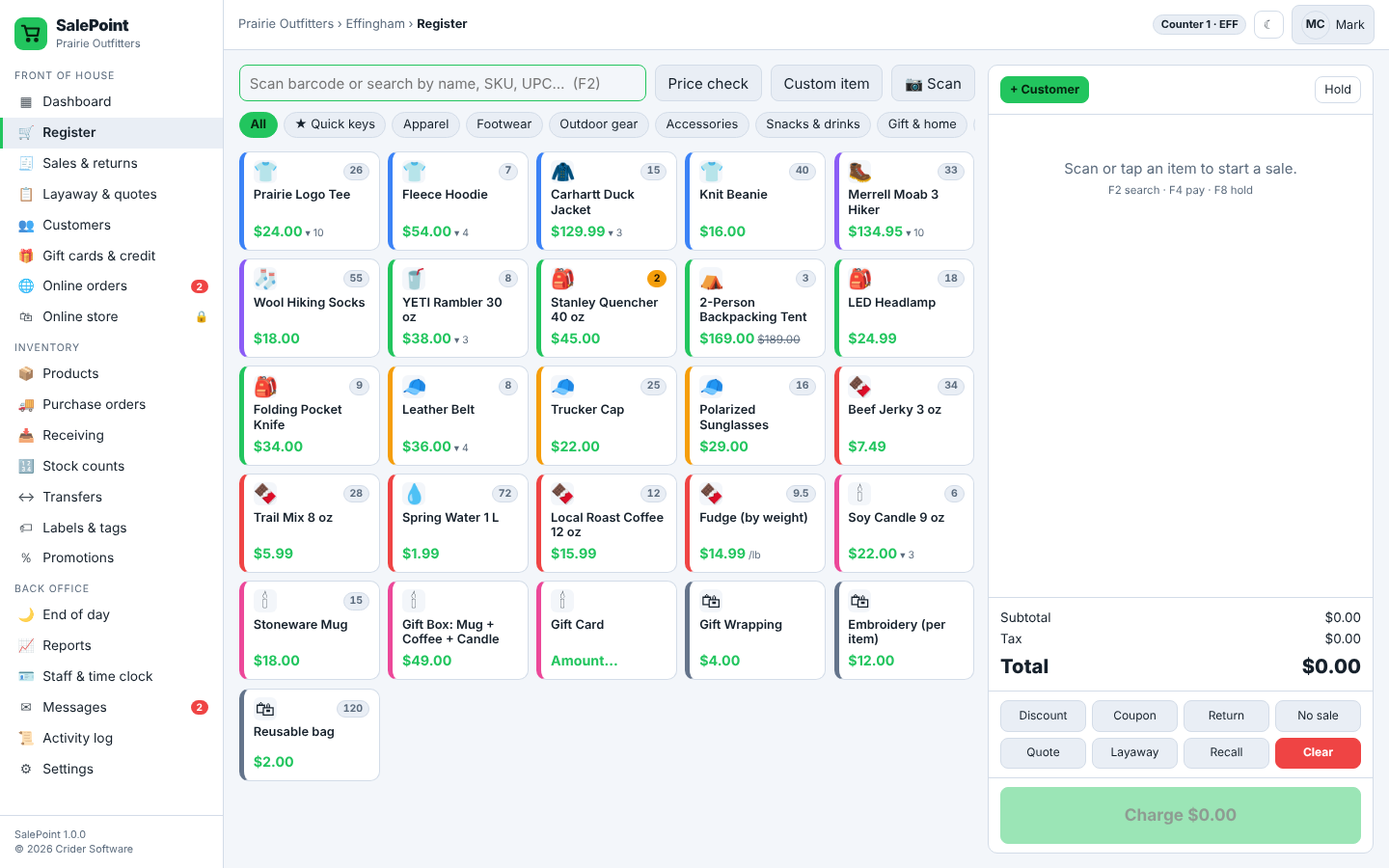
Retail point of sale
Retail point of sale for independent stores: register, inventory, customers, staff and an optional online store, on your own server.
General repair, Oil & lube, Tires & alignment, Brakes, Diagnostics, Fleet service, Inspection stations, Mobile mechanics, Cell phones, Tablets, Computers, Game consoles, Electronics, Jewelry and watches, Bicycles, Appliances, Auto repair, Full service, Quick service, Bar & grill, Pizza & delivery, Cafe & bakery, Drive-thru, Food trucks, Multi-location, FedEx Ground ISPs, Amazon DSPs, Courier & last-mile, Medical couriers, Service & trades fleets, Moving & hauling, Linehaul contractors, Non-profit fleets, Boutiques, Gift shops, Clothing stores, Convenience stores, Sporting goods, Liquor stores, Pet stores, Hardware stores, Bookstores, Farm & garden
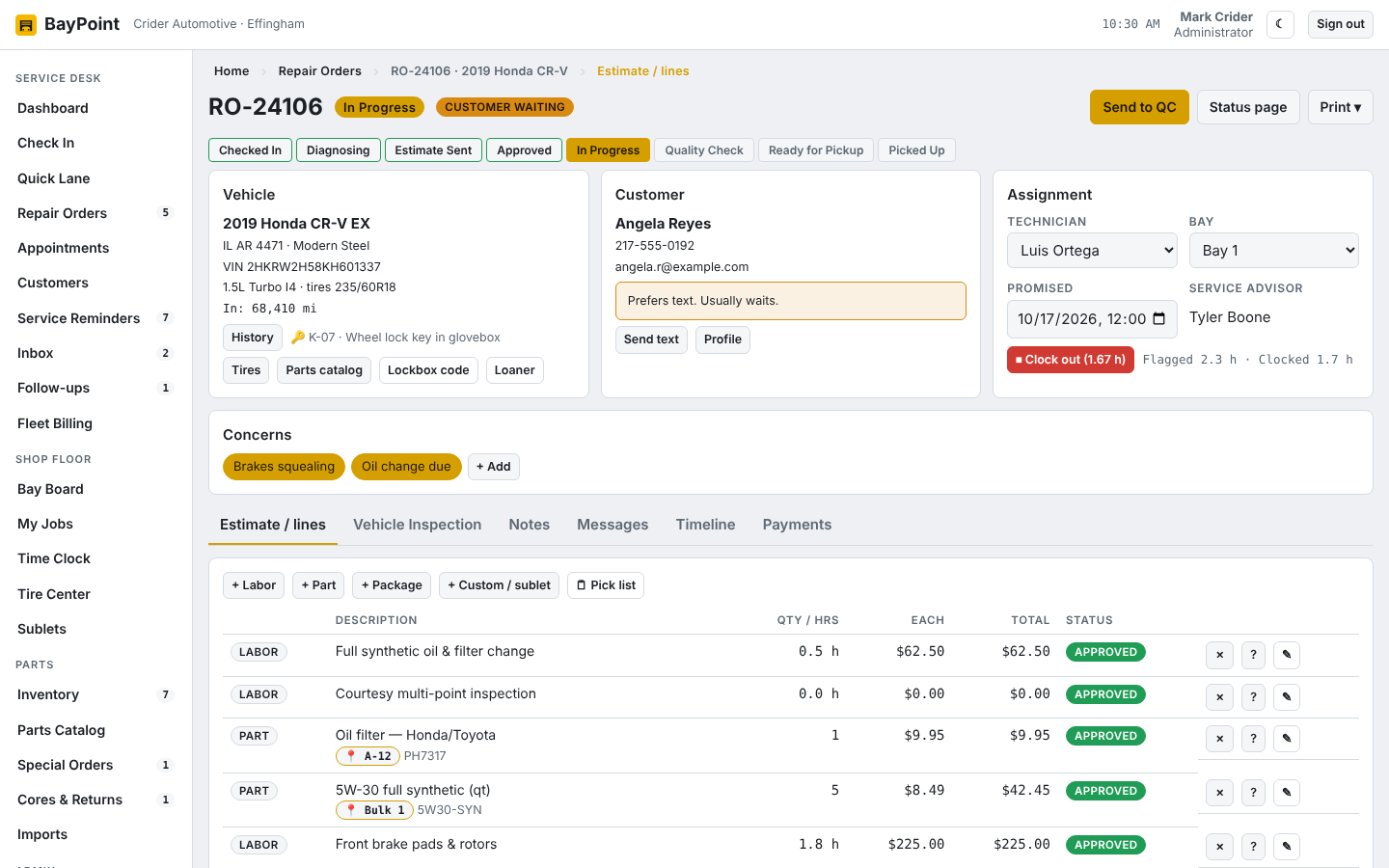
BayPoint is an auto repair shop suite you install on your own computer or web host. The service desk checks cars in by plate or VIN, writes estimates from a labor guide and your parts, and texts the customer a link to approve the work. Technicians get a bay board, a digital inspection and a job clock. The back office gets reports, end-of-day closeout, fleet billing and QuickBooks posting. Every PC, tablet and phone in the shop opens it in a browser, and your data stays with you.
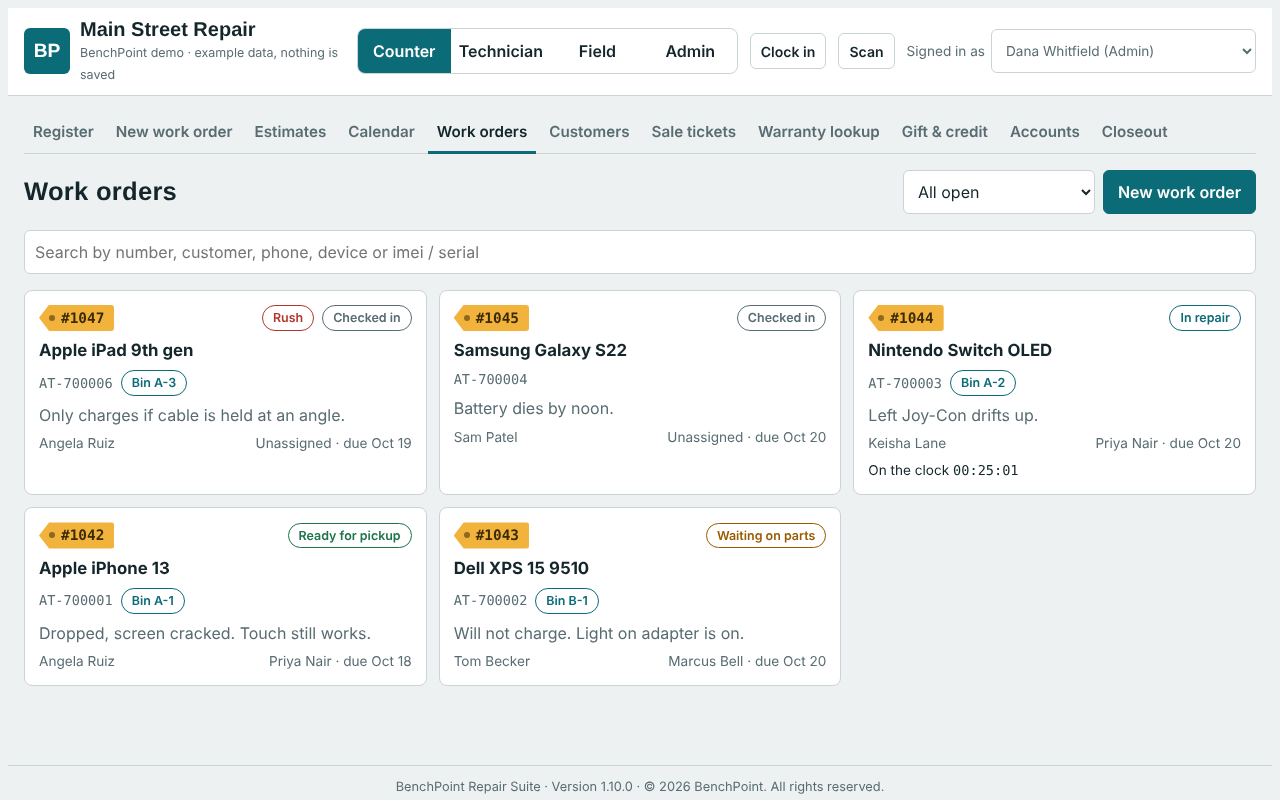
BenchPoint is a repair shop suite you install on your own computer or web host. The counter checks devices in and rings up sales. Technicians work their jobs from their own screen. The owner sees sales, stock and the day's numbers.
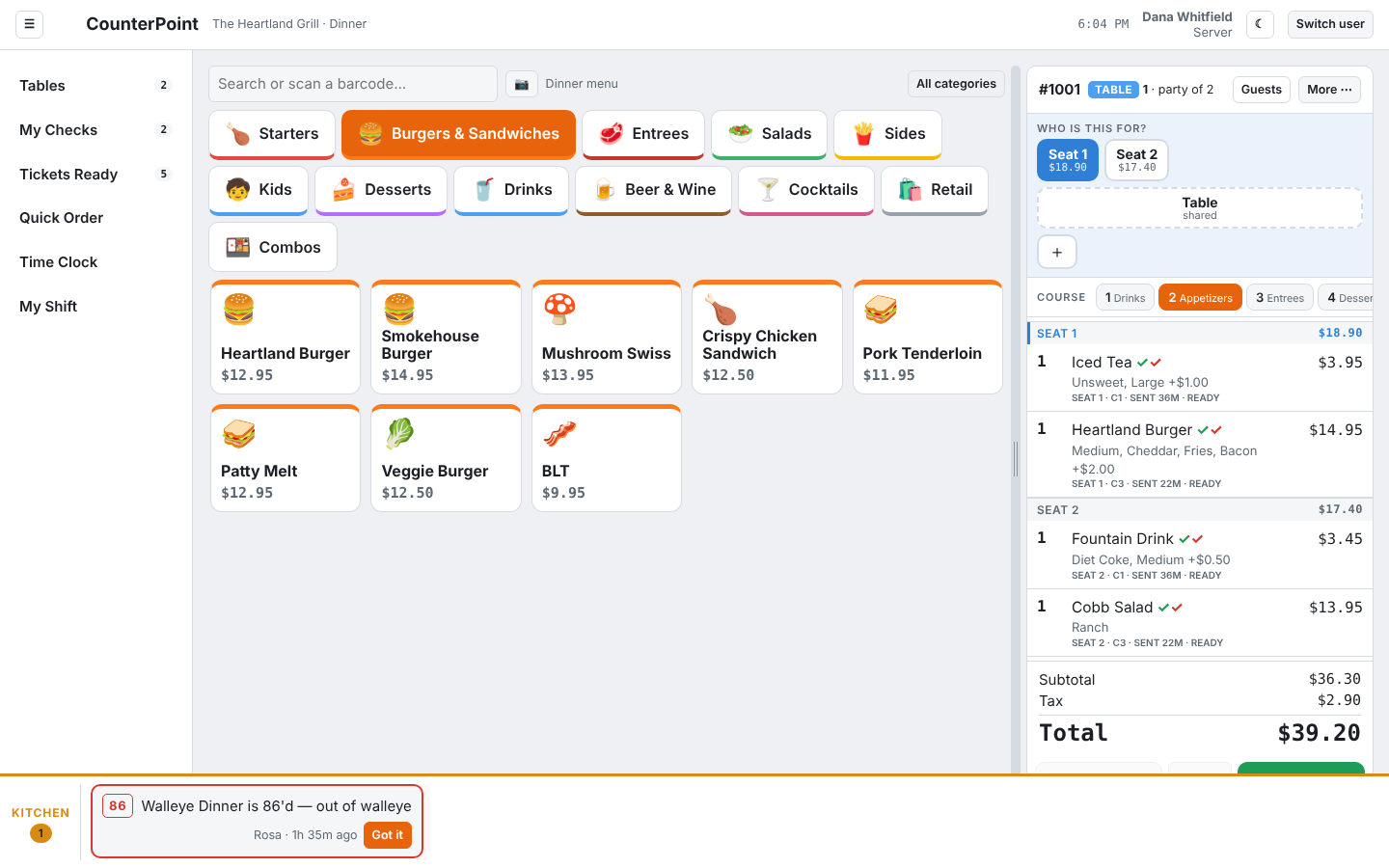
CounterPoint is a restaurant point-of-sale suite you install on your own computer or web host. Registers and servers' phones ring orders with seats and courses; the kitchen gets a display per station with timers and a bump bar; the host stand runs the waitlist and reservations; the drive-thru gets its own lane screens; online and delivery orders land in one queue. The back office gets a schedule maker, time clock with break rules, inventory, staff performance reports, end-of-day closeout and QuickBooks posting. Every PC, tablet, phone and TV in the building opens it in a web browser, and nothing on it ever times out. One license covers the whole restaurant.
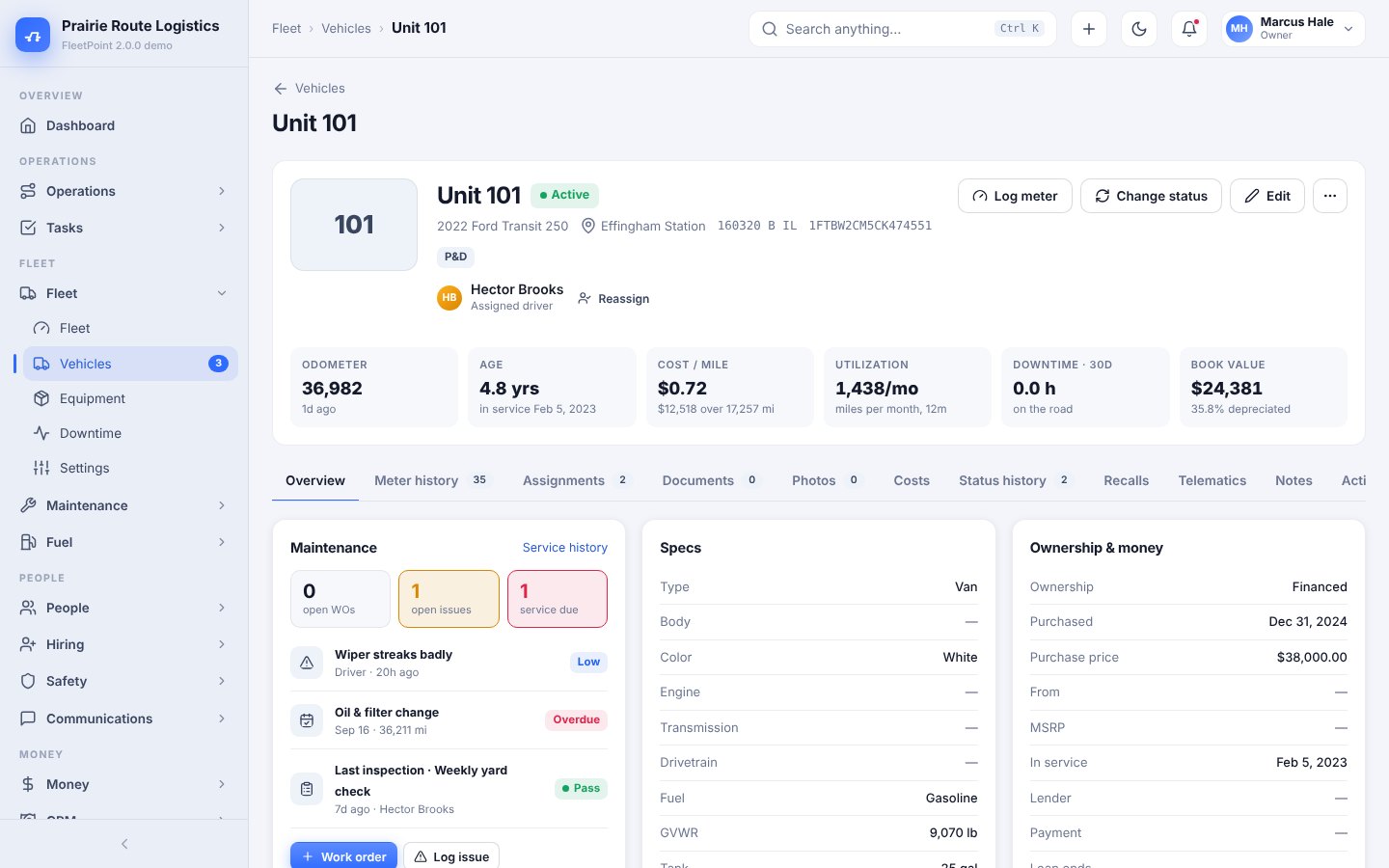
FleetPoint 2.0 runs a delivery or service fleet end to end from one program on your own server.
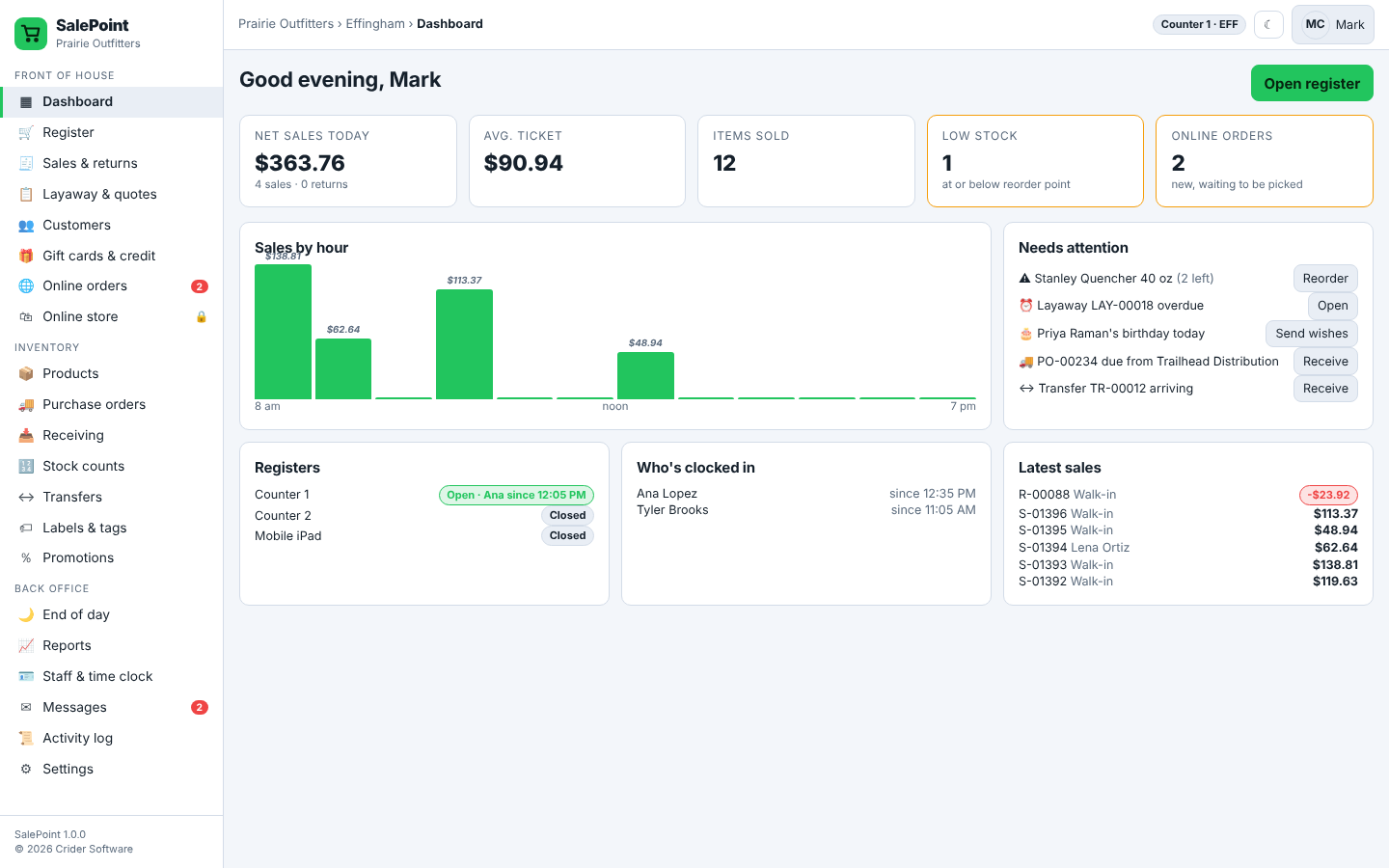
SalePoint is retail POS software you install on a PC in your store or on your web host. Every register, tablet and phone opens it in a browser and stays in sync. The register scans, handles sizes and colours, promotions, split tenders and returns; the back office runs purchasing, counts, loyalty, gift cards, layaway, scheduling and reports. One license covers a store location with every screen included, and the optional SalePoint Online add-on sells the same stock on the web with pickup and shipping.
Every product page lists its plans and prices. Add the one you want to your cart.
Card details are entered on our payment processor's page and never touch this site.
Your license key shows on screen right after payment and stays in your account with your downloads.
Find the customer by name, phone, plate or VIN. Decode the VIN, pick concerns from a list, print the key tag and the car is on the board.
Labor from the guide, parts from stock or the catalog, packages for the common jobs. Text the estimate; the customer approves line by line on a private page.
Green, yellow and red on every item, tire tread and pad depth by position, battery test and oil life. Findings become recommended lines with one tap, and the report goes to the customer by text.
A bay board shows what is on every lift. Techs clock in and out of jobs and punch a shift clock, so you see flagged hours against real hours.
Cash, card, check or on account. Pickup sheet with care tips, receipt, invoice and oil-change sticker print where you told them to. End of day counts the drawer and posts to QuickBooks.
Rename any term, set your logo and colors, pick who can refund, discount or reopen a day. Two locations or ten. English and Spanish for customers.
One register for parts, accessories and repair pickups. Take cash, card, gift certificates or store credit, apply coupons, and print a receipt or a full-page invoice.
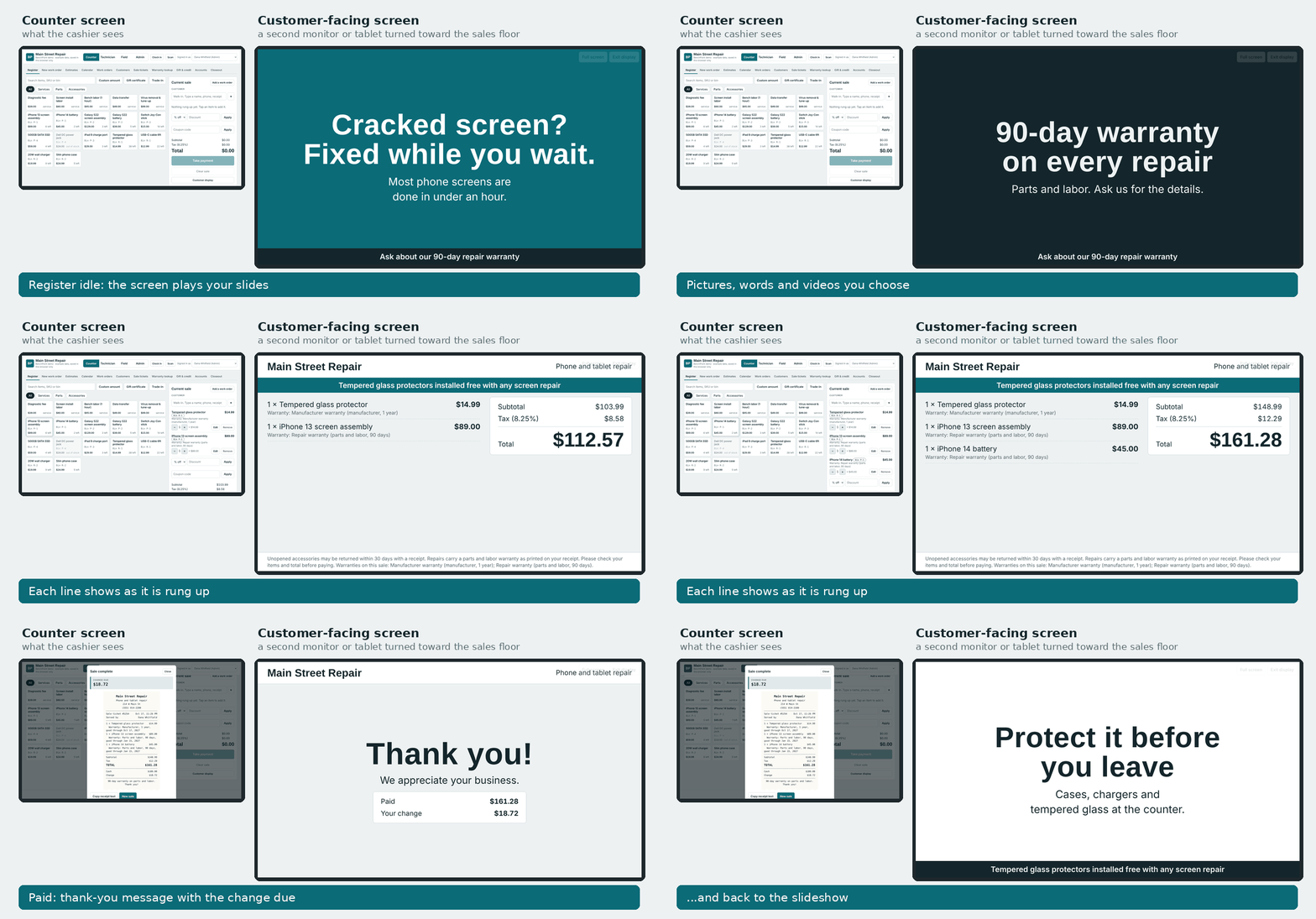
Turn a second monitor or a tablet toward the sales floor. Between sales it plays your own slideshow: pictures, words and videos. Specials, the warranty, reviews, anything you want people to see while they wait. The moment a ticket starts, it flips to a live view of the sale, line by line, with the total, then a thank-you with the change due, and goes back to the slideshow by itself.
Each work order carries the device, the problem, its condition at check-in, parts on order, deposits and time on the job. Customers can get text or email updates and a private page showing progress.
Workflow automation (an add-on) watches every job and acts for you. Rush anything promised today. Text a customer who has not answered an estimate in a day. Flag a job that has sat waiting on parts for three days. Hand screen jobs to the technician with the fewest open jobs. Add a liquid-damage checklist the moment one is checked in. And stop a job from being marked ready until it has a technician, photos and a note.
Technicians see what is theirs, what is unassigned and what is waiting on parts. They clock in to a job, add parts and labor (including one-off items that are not in inventory, if you allow it), add ready-made notes with a tap, and hand it back to the counter when it is done.
Off-site work gets its own workspace: dispatch, driving and arrival steps, mileage, and business contracts with recurring maintenance visits.
Count the drawer, log cash drops and print the closeout. Sales, tax collected and profit are broken out so they can go straight into your accounting software.
Pick a starting point for phones and electronics, auto repair, jewelry and watches, bicycles or appliances, then rename any word. Add your logo and colours and it looks like your shop.
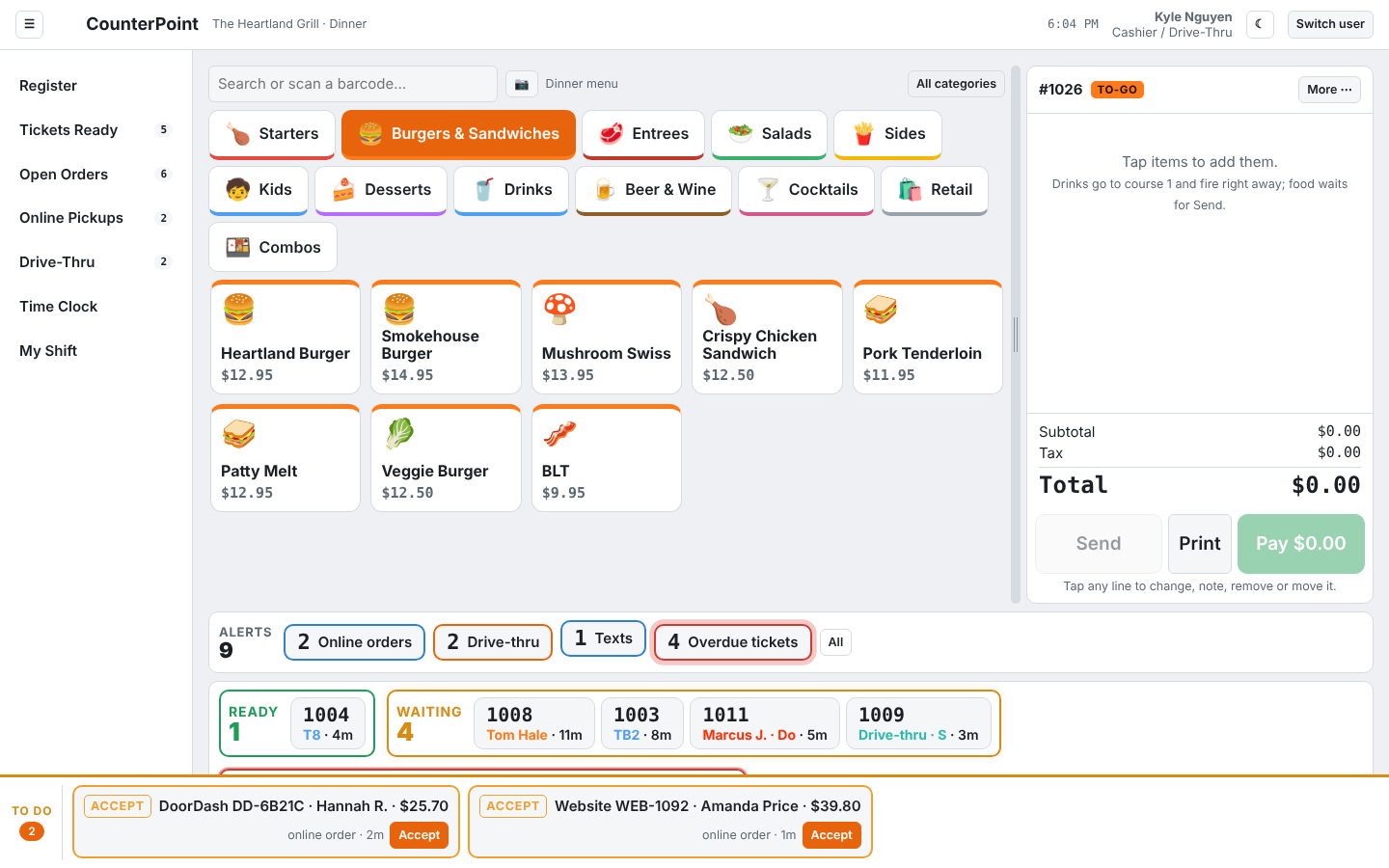
Big buttons with pictures, categories that stay on screen, flavors and modifiers in one tap. Every register shows what is ready, what is waiting and what is overdue in its footer.
Seats and courses are front and center. Pick a seat for each guest, fire the next course from the table, move food between seats, and see which tables need you.
A display per station with ticket timers that turn yellow, then red. Cooks bump by line or all at once, 86 an item, and tell the front when something is out. Overdue tickets stay in a bar at the bottom of every cook's screen until they are handled.
Hosts only see the host screen. Drive-thru runs as one window or as order taker, pay window and pickup window. Online, DoorDash, Uber Eats and Grubhub orders arrive in one queue and fire to the kitchen with one tap.
Nobody works until they clock in; an unscheduled punch needs a manager's PIN. Breaks pop up when they are due and lock the screen until they are over. The schedule maker drags shifts between people, copies a shift down the week and prints a clean sheet.
Draw your own floor plan, build the menu with pictures and dayparts, run a TV menu board on any screen, set a custom screensaver, pick which roles see which screens, and set your own clock-in and approval rules.
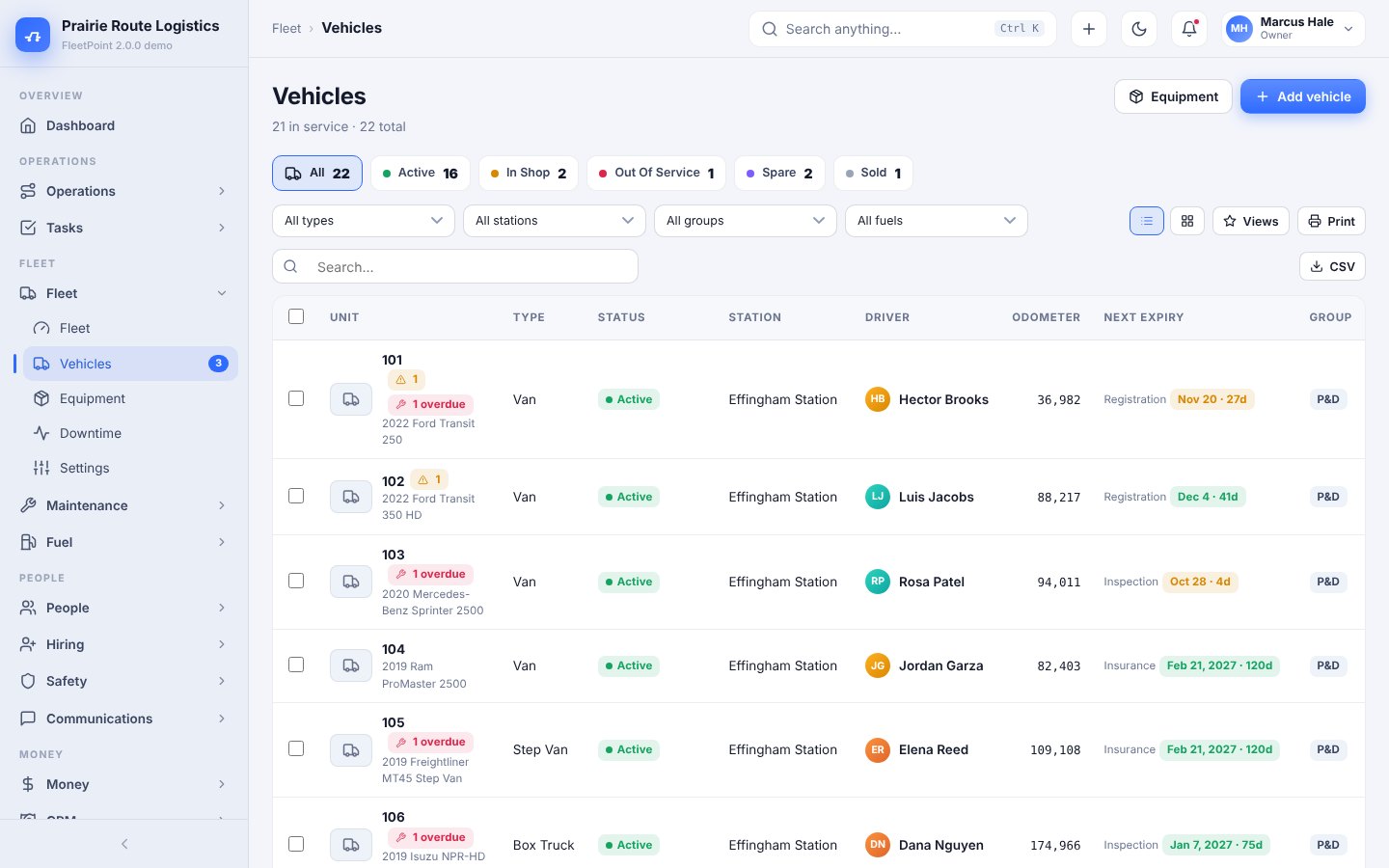
Service programs, reminders, work orders, parts, tires and inspections — built along the lines fleet managers already know.
Drop in settlement statements, scorecards and route summaries. See revenue per stop and margin per route by day and by week.
Complete driver files, compliance alerts, time off, training, discipline and reviews — with a phone portal for every employee.
A careers page, an applicant pipeline, screening orders, e-signed offers and a new-hire portal that collects I-9, W-4 and acknowledgements.
Fuel card imports with exception flags, expenses with approvals, bills, revenue, budgets, invoices and pay prep exports.
Accidents from the roadside, claims, qualification files, random testing, camera event imports, coaching, plus messaging, announcements and chat.
Scan or tap, pick the size from a grid, attach the customer, split the tender and print, text or email the receipt. Promotions and coupons apply themselves; anything outside policy asks for a manager PIN.
Variants, bins, reorder points and purchase orders by supplier. Receive by scan, print the labels, count by department a little every week, and move stock between stores with a packing slip.
Loyalty points, gift cards, store credit, house accounts and layaway on the same profile. Two-way texting and a promotion editor with images, buttons and coupon blocks.
Roles and permissions checked on the server, a schedule maker with time-off and swaps, time clock with overtime, blind drawer closes and a Z report for the bookkeeper.
Twenty reports over any date range, each compared with the prior period: sales, ABC products, departments, brands with GMROI, sell-through and aging, tenders, tax by jurisdiction, retention, drawers and a profit summary.
Put the catalog on the web with the same stock count. Three themes, collections, reviews, coupons and a checkout with pickup in store or shipping. Orders land at the register to pick and pack.
Open a support ticket and we will answer in your account and by email.
Auto repair shop management
Run the service desk, the bays and the back office of your auto repair shop from one screen.
From $79 / month
4.6 (5)
View BayPointRepair shop management
Run the counter, the repair bench and the back office of your repair shop from one screen.
From $49 / month
4.6 (5)
View BenchPointRestaurant point of sale
Registers, servers, kitchen, drive-thru, online orders and the back office of your restaurant, on your own server.
From $89 / month
4.6 (5)
View CounterPointFleet management
Every truck, every driver, every dollar — one program for FedEx ISPs, Amazon DSPs and delivery fleets.
From $99 / month
4.6 (5)
View FleetPointRetail point of sale
Retail point of sale for independent stores: register, inventory, customers, staff and an optional online store, on your own server.
From $59 / month
4.6 (5)
View SalePoint